Bluetooth Finder - Find Device
Lost an earbud under the sofa? Can't remember where you left your headphones, watch or speaker?

Screenshots
About this app
Lost an earbud under the sofa? Can't remember where you left your headphones, watch or speaker? Bluetooth Finder turns your phone into a signal detector that leads you straight to your lost device.
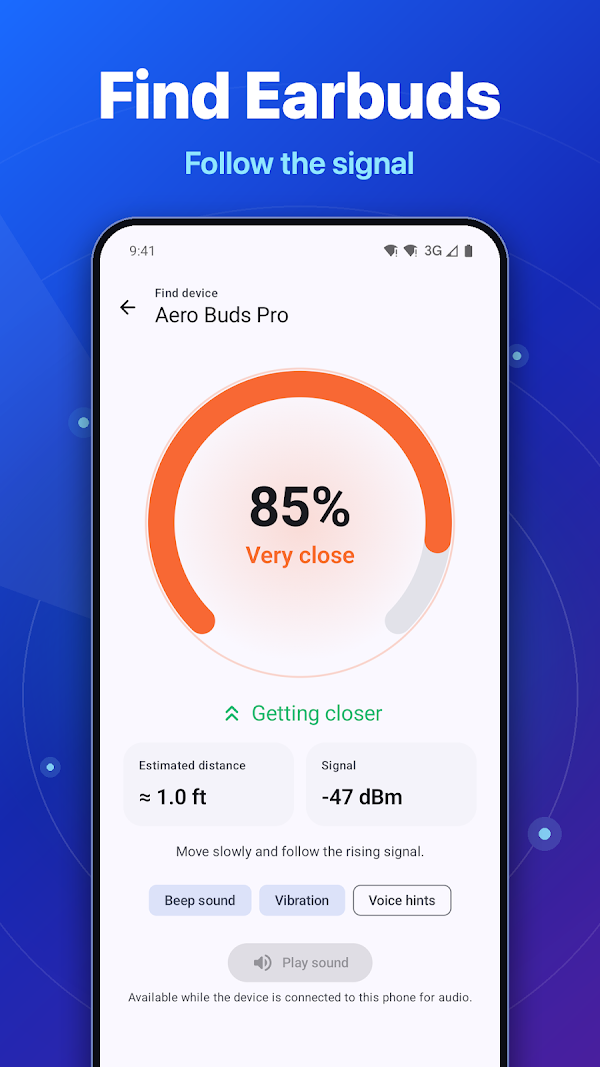
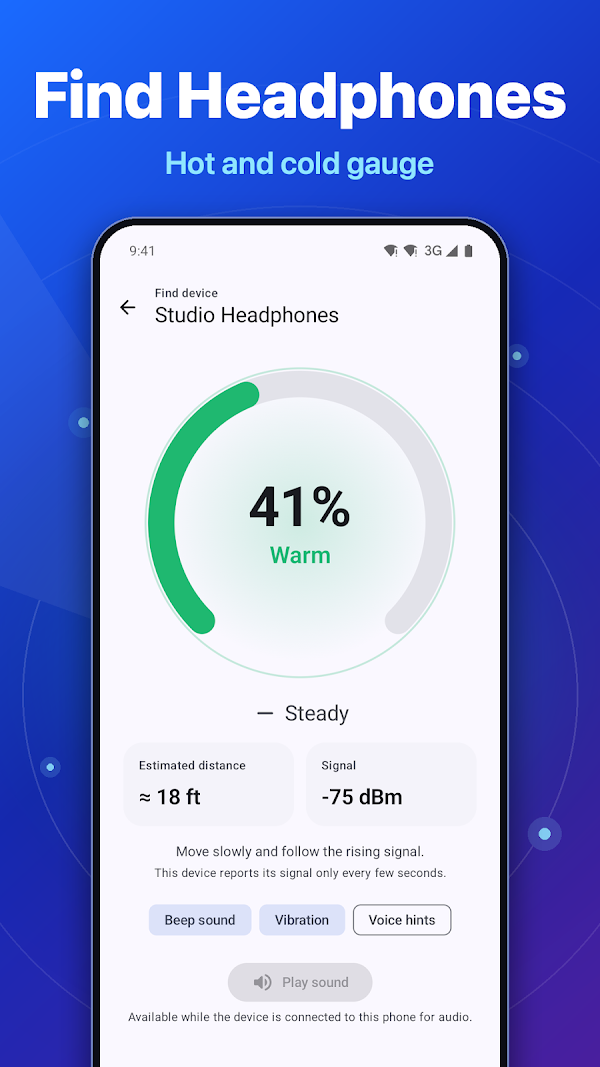
Open the app, pick the device and start walking. A big gauge shows how close you are, the colour shifts from blue to green to red, and Geiger-style beeps get faster with every step in the right direction. Cold, warm, hot, very close – finding a lost device has never been this clear.
★ FIND MY HEADPHONES & EARBUDS
- Hot and cold gauge from 0 to 100 % with smooth, steady readings
- Trend arrow: see at once whether you are getting closer or farther
- Beeps, vibration pulses and optional voice hints, so you can search without looking at the screen
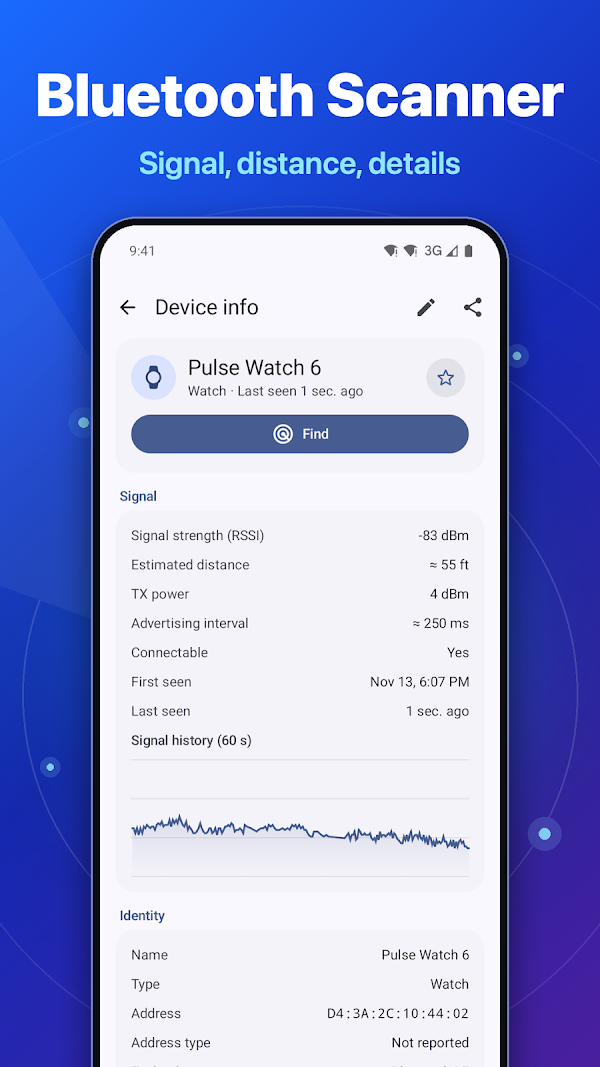
- Estimated distance in metres or feet
- Play a loud sound on headphones that are still connected to your phone
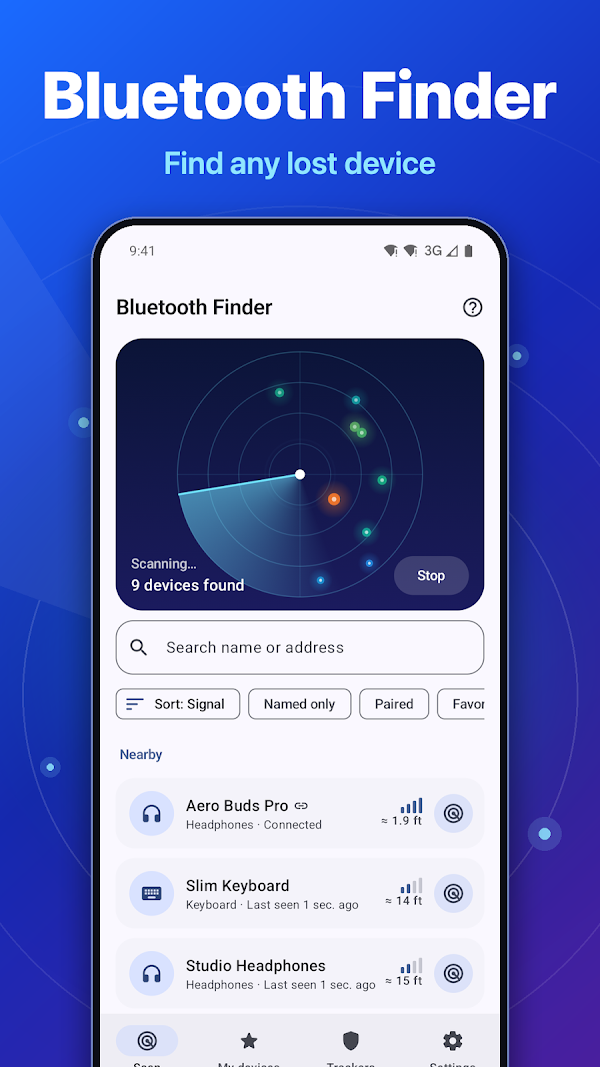
★ BLUETOOTH SCANNER WITH LIVE RADAR
- Animated radar shows every nearby device as a glowing dot by signal strength
- Bluetooth LE and Bluetooth Classic devices in one list
- Paired devices are listed even when they are not in range
- Sort by signal, name or last seen; filter by type, paired, favorites or named devices
- Clear icons for headphones, watches, phones, speakers, cars, keyboards, mice, TVs and trackers
★ BLUETOOTH DEVICE INFO
- Name, address, device class, pairing and connection state
- Live signal strength (RSSI) with a 60-second signal meter chart
- Manufacturer from the official Bluetooth company list
- Advertised services with readable names: battery, heart rate, audio, HID and more
- Raw broadcast data in hex, ready to copy
- Explore mode: connect to read model, firmware and battery level when the device offers them
- Share all device info as text
★ MY DEVICES & LAST SEEN
- Save your earbuds, watch or tracker with your own name and icon
- See when each device was last seen and, if you turn it on, where
- Left-behind alert: get a notification when a saved device goes out of range or disconnects
- Home screen widget and Quick Settings tile for one-tap finding
★ TRACKER DETECTOR
- Scan for unknown item trackers that may be travelling with you
- Recognises common tracker types by their broadcast signature
- Shows how long a tracker has been nearby and whether it is away from its owner
- Clear guidance on what to do next
No scanner can detect every tracker, so use the result as a helpful check, not as a guarantee.
HOW TO FIND LOST EARBUDS
1. Open Bluetooth Finder and wait for the scan.
2. Tap your device and press Find.
3. Walk slowly. When the gauge rises and the beeps speed up, you are getting closer.
4. At "Very close" look around you: pockets, bags, cushions, under the car seat.
GOOD TO KNOW
- The device must be switched on and have some battery left. Most earbuds stop sending a signal inside a closed case.
- Distance is an estimate based on signal strength; walls and furniture affect it.
- Android requires the Nearby devices and Location permissions for complete Bluetooth scan results. The app does not collect personal data.
Bluetooth Finder is a device finder, Bluetooth scanner and tracker detector in one app, in 33 languages. Download it now and find your lost headphones, earbuds, watch or speaker in minutes. Try Bluetooth Finder today.
- Category
- Utilities
- Price
- Free
- Works on
- Android
- Google Play
- Download
- Updated
- Nov 13, 2026
- Privacy
- Privacy Policy
More apps
World Time - UTC Clock
World Time – UTC Clock is a clean, modern world clock, UTC clock and time zone converter for travelers,…

Today's Date: Day Counter
Today's Date: Day Counter shows today's date, the time and the week number at a glance — with a day counter…

Lux Meter – Light Meter
Lux Meter turns your iPhone into a professional light meter.